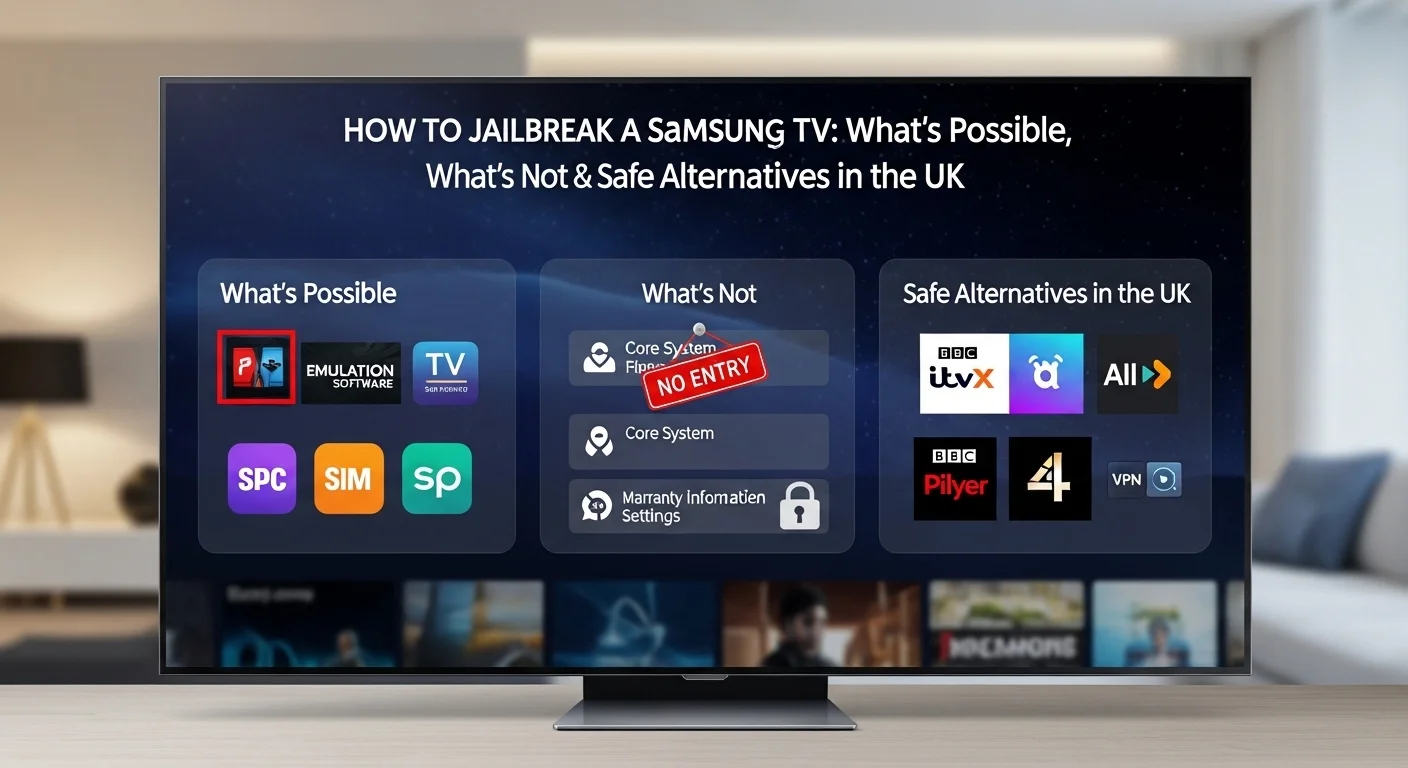
How to Jailbreak a Samsung TV: What’s Possible, What’s Not & Safe Alternatives in the UK
Many UK users search online for ways to “jailbreak” their Samsung TV. This interest comes from a desire to get more out of their television. People want to install extra apps, watch IPTV channels, and remove restrictions that Samsung has put in place. They see videos and blog posts claiming to show how it is done.
Samsung TVs are different from Android TVs in important ways. They do not run on Android, so they cannot use APK files like Android phones or tablets. This creates confusion because methods that work on other devices simply do not work on Samsung televisions. Many people waste time trying things that are impossible.

With over a decade of experience in streaming technology, IPTV apps, and Amazon Fire TV devices, James specializes in Firestick jailbreaking, app installation, and cord-cutting solutions for users in the UK.
 Add as a preferred source on Google
In this guide, we will explain what jailbreaking really means for a Samsung TV. We will separate facts from myths and give you honest information about what is possible. You will learn about the Tizen operating system that Samsung uses, why traditional jailbreaking does not exist for these TVs, and what legal alternatives are available to expand your TV’s features. By the end, you will have a clear understanding of how to get more from your Samsung TV safely and legally.
How to Get Sky Glass Playlist on Firestick (Free & Jailbreak Methods)
Sky Glass is a premium UK-based streaming service offering live TV, sports, movies, and exclusive Sky channels. While a paid subscription is required for official access, many users look for ways to watch Sky Glass on Firestick for free using jailbreak methods. Below, we explore safe (and legal) alternatives to enjoy Sky Glass content without a subscription.
Get Free Sky Glass
What Does “Jailbreaking” a Samsung TV Mean?
The term “jailbreaking” originally comes from the world of iPhones and other Apple devices. It meant removing software restrictions imposed by the manufacturer so users could install apps from outside the official store. People have adopted this term for many other devices, including televisions.
When people talk about jailbreaking a Samsung TV, they usually mean they want to bypass Samsung’s restrictions. They want to install apps that are not available in the Samsung App Store. They might want to add IPTV services, custom streaming apps, or other software that Samsung does not officially support. Some want to access content from other regions or remove advertisements.
It is important to understand the difference between jailbreaking, rooting, and developer mode. Jailbreaking usually refers to Apple devices. Rooting is the Android equivalent. Both involve gaining full control over the device’s operating system. Enabling developer mode on a Samsung TV is different. It allows some testing and customisation but does not give you full control over the system .
The term is often misunderstood with smart TVs. People assume that because they can jailbreak a phone, they can jailbreak a television. This is not true. Televisions are built differently and have different security measures. What users expect to gain from jailbreaking includes free channels, unlimited apps, and access to content from anywhere in the world. Unfortunately, these expectations are usually unrealistic.

Then Click on Developer Options

Then Click on install unknown Apps

Turn ON “Apps from Unknown Sources”

Click your device name 7 times

How Samsung TVs Work (Tizen OS Explained)
Samsung TVs do not use Android. This is one of the most important facts to understand. Instead, they run on an operating system called Tizen. Samsung developed Tizen specifically for their smart devices, including televisions, smartwatches, and some home appliances.
Tizen is what experts call a “closed” operating system. This means Samsung controls what software can run on it. Unlike Android, which allows you to install apps from anywhere if you change your settings, Tizen is locked down. Apps must be approved by Samsung and installed through the official Samsung App Store. This is similar to how Apple controls what apps run on iPhones.
The Samsung App Store has many apps, but it does not have everything. You will find popular streaming services like Netflix, Amazon Prime Video, Disney+, and BBC iPlayer. You will also find catch-up apps like ITVX, All 4, and My5. However, you will not find every app that exists on Android or iOS. Some niche streaming services, IPTV apps, and custom software are simply not available .
Because Samsung TVs do not run Android, APK files do not work on them. APK is the file format Android uses for installing apps. If you download an APK file onto a USB stick and plug it into your Samsung TV, nothing will happen. The TV cannot read or install that type of file. This is a common mistake people make when trying to add apps to their Samsung television. The operating system simply does not recognise the file format.
Can You Actually Jailbreak a Samsung TV? (Key Section)
The direct and honest answer is no. There is no traditional jailbreak available for Samsung TVs. You cannot unlock the operating system in the same way people jailbreak iPhones or root Android phones. This is an important fact that many online tutorials do not explain clearly.
There is no official rooting or unrestricted app access for Samsung televisions. Samsung has designed the Tizen operating system to be secure and closed. They do not provide any way for users to bypass their controls. This is different from Android devices where manufacturers sometimes allow bootloader unlocking. Samsung TVs have no such option.
The reason no jailbreak exists is that Samsung has built Tizen to be very secure. The company controls the software and does not want users modifying it. This is partly for security reasons. An open system could allow harmful software to damage the TV or steal personal information. It is also for licensing reasons. Samsung pays for certain features and wants to make sure they are used correctly .
Many YouTube videos and blog tutorials claiming to show how to jailbreak a Samsung TV are misleading. They often trick people into downloading unsafe files or following steps that do nothing useful. Some tutorials show how to enable developer mode and claim this is a jailbreak. Developer mode is a real feature, but it is not a jailbreak. It allows you to test apps you have built yourself, but it does not let you install anything you want from anywhere. Other tutorials promote entering codes or downloading files that could contain malware. These methods are risky and should be avoided.
Common Myths About Jailbreaking Samsung TVs
There are many myths circulating online about jailbreaking Samsung TVs. These myths create false expectations and can lead people to waste time or even damage their televisions. Let us look at the most common ones and explain the truth.
Myth 1: “Samsung TVs run Android.” This is completely false. Samsung uses Tizen, which is their own operating system. This is a very common misunderstanding. Many people assume all smart TVs are the same, but they are not. Samsung uses Tizen. LG uses webOS. Sony uses Android on some models and their own system on others. Knowing what system your TV uses is important before trying any modifications .
Myth 2: “You can install any IPTV APK on a Samsung TV.” This is also false. APK files are designed for Android and will not work on Samsung TVs. Even if you could jailbreak the TV, apps would need to be written specifically for Tizen. Android apps cannot magically run on a different operating system .
Myth 3: “Jailbreaking gives you free Sky channels or premium content.” This is misleading. Jailbreaking does not create free content. Any “free” channels you access through unofficial methods are likely streaming pirated content, which is illegal. These services often disappear quickly and can expose you to legal risks. The content itself is stolen, not magically unlocked by your TV.
Myth 4: “It is legal and risk-free.” This is dangerous thinking. Attempting to modify your TV’s software can cause serious problems. You could corrupt the operating system, making the TV unusable. You could install software that contains viruses or malware. You could also void your warranty, meaning Samsung will not help you if something goes wrong. The legality is also questionable depending on what you do after modification.
Is Jailbreaking a Samsung TV Legal in the UK?
The legality of jailbreaking a Samsung TV in the UK is not a simple yes or no answer. It depends on what you mean by jailbreaking and what you do after you modify the device. Understanding the legal landscape helps you make informed decisions.
Customisation of your own device is generally legal. In the UK, you own the television you bought. You are allowed to change its settings and try to install software, as long as you are not breaking any laws. However, the manufacturer is not required to help you if something goes wrong. You take full responsibility for your own device.
Software modification becomes legally complicated when you bypass security measures. The UK has laws that protect copyright and technological protection measures. If you break through Samsung’s security to access software you are not supposed to, you might be violating these laws. It is a grey area that has not been tested much in UK courts specifically for televisions. The Computer Misuse Act could potentially apply in some cases.
The biggest legal risk comes from accessing pirated content. If you jailbreak your TV specifically to watch stolen movies, TV shows, or sports broadcasts, that is clearly illegal. Copyright infringement is against the law in the UK and can result in fines or other penalties. Even if the modification itself is legal, using it to access illegal streams is not .
Warranty and manufacturer support are also affected. If you try to jailbreak your TV and something goes wrong, Samsung will likely refuse to help. Modifying the software voids the warranty. This means any repairs or replacements will be your responsibility, even if the problem is unrelated to your modification attempts. The Consumer Rights Act 2015 still applies, but you will have difficulty claiming that a problem is covered if you have modified the software.
Risks of Trying to Jailbreak a Samsung TV
Attempting to jailbreak your Samsung TV comes with several serious risks. Before following any online tutorial, you should understand what could go wrong. These risks are not always mentioned by the people promoting jailbreak methods.
Voiding your warranty is almost certain. Samsung’s terms and conditions clearly state that unauthorised software modifications void the warranty. If something goes wrong during the process, or even months later, Samsung will not cover the repair costs. You will have to pay for any fixes yourself. This could be expensive, especially for newer high-end models .
Software corruption is a real possibility. If you install incompatible software or interrupt the modification process, you could corrupt the TV’s operating system. This can leave your TV stuck on a blank screen or constantly restarting. Fixing this requires advanced technical knowledge and sometimes even professional repair services. In worst cases, the TV becomes completely unusable, which is called “bricking” the device.
Security vulnerabilities are created when you bypass built-in protections. Samsung includes security features to keep your TV safe from hackers and malware. When you jailbreak, you remove or weaken these protections. This makes your TV more vulnerable to attacks. Hackers could potentially access your home network through a compromised TV, putting all your devices at risk.
Malware risks increase significantly. Unofficial software sources are not vetted for safety. The files you download from forums or suspicious websites could contain viruses or spyware. These malicious programs could steal your personal information, use your TV for attacks on other devices, or simply ruin your viewing experience. Your TV could even become part of a botnet used for larger internet attacks .
Loss of updates and smart features is another consequence. When you modify your TV’s software, it may no longer receive official updates from Samsung. This means you miss out on new features, performance improvements, and important security patches. Your TV becomes stuck in time and may eventually stop working with streaming services as they update their requirements. Netflix and other apps may stop working if they cannot update.
Legal Ways to Unlock More Features on a Samsung TV (Main Section)
Instead of trying to jailbreak your Samsung TV, there are several legal and safe ways to get more features and flexibility. These methods do not risk your warranty or expose you to security problems. They are the recommended approach for UK users who want to expand what their television can do.
Using the Samsung App Store properly is the first step. Many users do not realise how many apps are available. Browse through the store regularly because new apps are added over time. You can find apps for news, sports, music, education, and lifestyle topics alongside the main streaming services. The store organises apps into categories, making it easy to discover new options. Check for updates to existing apps as well, as these often add new features .
Enabling Developer Mode is an option provided by Samsung itself. Developer mode allows you to test apps you have created. It does not let you install any app from anywhere, but it does give you some flexibility for those with technical skills. You can find developer mode in the Smart Hub settings under “App Development.” This is a legitimate feature, not a hack. However, it requires knowledge of Tizen app development to be useful .
Screen mirroring from other devices is built into most Samsung TVs. You can cast content from your phone, tablet, or laptop to the big screen. This gives you access to apps and services that may not have a TV version. For example, you can cast from the BBC iPlayer app on your phone if you prefer its interface. Most modern phones and computers support screen mirroring through Wi-Fi Direct or similar technologies.
Using external streaming devices is the most flexible option. Devices like Amazon Fire TV Stick, Roku, Apple TV, or Google Chromecast connect to your TV’s HDMI port. These devices run their own operating systems and have access to thousands of apps. They are inexpensive and give you all the flexibility you want without touching your TV’s software. They also receive regular updates and can be replaced easily if newer technology comes out .
Using the built-in web browser can also help. Samsung Smart TVs include a web browser that lets you visit websites. Many streaming services have web versions that work through the browser. This is not as convenient as a dedicated app, but it can provide access to content that is not otherwise available. You can bookmark your favourite sites for easy access.
How to Enable Developer Mode on a Samsung TV (Legal Method)
Developer mode is a feature that Samsung includes on their Smart TVs. It is intended for people who create apps and want to test them on real hardware. Some users have found that developer mode allows them to do things regular users cannot. However, it is important to understand its real capabilities and limitations.
Developer mode is a setting that allows your TV to communicate with a computer for app testing. It is not a jailbreak and does not unlock the TV for unrestricted app installation. Instead, it creates a connection between your TV and a development computer. Apps you build on that computer can be transferred to the TV for testing purposes. This is how professional app developers test their work before submitting it to the Samsung store .
To enable developer mode, you need to access the TV’s settings. Go to Smart Hub and then find the App Development section. The exact location can vary depending on your TV model and software version. You may need to search online for instructions specific to your TV. Once you find it, you can turn developer mode on. The TV will display an IP address and require you to enter a code to authorise connections from your computer .
What apps does developer mode support? It supports apps written specifically for Tizen. You cannot install Android apps, Windows programs, or software designed for other systems. The apps must be created using Samsung’s development tools and follow their guidelines. This requires programming knowledge that most users do not have .
The limitations are significant. You still cannot install apps from the internet. You cannot access system features that Samsung has locked down. You also risk instability if you install poorly written software. Developer mode is useful for tinkerers who want to learn about Tizen app development. It is not a solution for users who simply want more streaming options. For most people, the official Samsung App Store or an external streaming device is a better choice.
Best External Devices Instead of Jailbreaking (UK Users)
For UK users who want more flexibility from their Samsung TV, external streaming devices are the best solution. These devices plug into your TV’s HDMI port and give you access to thousands of apps. They are safe, legal, and cost much less than a new television. They also do not void your warranty or risk damaging your TV.
Amazon Fire TV Stick is very popular in the UK. It runs a modified version of Android and gives you access to the Amazon App Store. You can install apps like Netflix, Disney+, BBC iPlayer, ITVX, All 4, My5, and many more. The Fire TV Stick also supports voice control through Alexa. Prices start from around £30, making it affordable for most households. It regularly goes on sale during events like Prime Day .
Google Chromecast with Google TV is another excellent option. It runs the full Android TV operating system and gives you access to the Google Play Store. You can install thousands of apps and games. The interface is clean and works well with Google Assistant for voice searches. It costs around £60 but often goes on sale. It integrates well with other Google services like YouTube and Google Photos.
Roku Streaming Stick is known for its simple interface and wide app selection. Roku devices are easy to use and work with all the major UK streaming services. The remote is straightforward, and the software receives regular updates. Roku sticks are available for around £40. They are particularly good for users who want a no-nonsense streaming experience without complex features.
Apple TV 4K is more expensive but offers excellent performance. If you are already in the Apple ecosystem with an iPhone or iPad, this is a great choice. It integrates seamlessly with other Apple devices and has a high-quality interface. Prices start around £150. It supports Dolby Vision and Atmos for the best possible picture and sound quality .
These external devices are better than jailbreaking for several reasons. They do not void your warranty. They receive regular security updates. They are designed to run streaming apps smoothly. And if something goes wrong, you can simply unplug the device and your TV still works perfectly. You can even upgrade the streaming device without buying a new television.
Samsung TV vs Android TV – Key Differences
Understanding the difference between Samsung TVs and Android TVs helps you make better decisions about what to buy and how to use your existing television. These two platforms are very different, and knowing the distinctions is important for your viewing experience.
The main difference is the operating system. Samsung uses Tizen, which is a closed system developed by Samsung themselves . Android TV, found on Sony, Philips, and other brands, uses Google’s Android operating system. This is the same basic software that runs on millions of phones and tablets, though adapted for televisions. Some newer TVs use Google TV, which is essentially Android TV with a different interface.
App installation flexibility is much greater on Android TV. Because Android is a more open system, you can install apps from various sources if you enable the right settings. You can also sideload APK files, though this carries some risks and may void warranties. Samsung’s Tizen only allows apps from the official Samsung App Store, with no sideloading possible. Every app must be approved by Samsung before it appears in their store .
Customisation limits are stricter on Samsung. The interface is designed by Samsung and cannot be changed much. You can rearrange apps and adjust some settings, but the overall look and feel is fixed. Android TV allows more customisation, including different launchers and home screen layouts. You can change how the entire interface looks and behaves.
Which platform suits which users depends on your needs. If you want a simple, reliable TV that just works and has all the major UK streaming apps, Samsung Tizen is fine. It is stable and easy to use. If you are a tinkerer who wants maximum flexibility and the ability to install anything, Android TV is better. Many UK users find that external streaming devices give them the best of both worlds: a good TV from any brand plus the flexibility of Android TV through a Fire Stick or Chromecast.
FAQs About Jailbreaking Samsung TVs
Can Samsung TVs be jailbroken?
No, there is no traditional jailbreak available for Samsung TVs. The Tizen operating system is closed and secure, meaning you cannot bypass Samsung’s restrictions the way people jailbreak iPhones. Any website or video claiming to offer a jailbreak is likely misleading or dangerous. The security measures are built into the hardware and software and cannot be easily removed .
Can I install APK files on my Samsung TV?
No, APK files are designed for Android devices and will not work on Samsung TVs. Samsung uses Tizen, which is a completely different operating system. Even if you put APK files on a USB stick, the TV cannot read or install them. The file format is not recognised by the system. You would need apps specifically built for Tizen .
Is developer mode the same as jailbreaking?
No, developer mode is not the same as jailbreaking. Developer mode is a legitimate feature provided by Samsung for app creators to test their own software. It does not give you access to install any app from the internet. It simply allows communication with a development computer for testing purposes. Most users will find it has no practical benefit for everyday viewing .
Will jailbreaking void my warranty?
Yes, any attempt to modify your TV’s software will void your warranty. Samsung’s terms and conditions clearly state that unauthorised modifications are not covered. If something goes wrong, you will have to pay for repairs yourself. This could be expensive, especially for newer models. Even if you revert the changes, Samsung can detect that modifications were made .
Can I get free channels by jailbreaking?
No, jailbreaking does not create free content. Any “free” channels you find through unofficial methods are likely streaming pirated content, which is illegal. The free channels available legally are the same ones you can already access through Freeview or the built-in apps. BBC, ITV, Channel 4, and Channel 5 are all available through official apps without any modification.
Conclusion
After exploring the topic thoroughly, the truth is clear: you cannot jailbreak a Samsung TV in the way many people hope. The Tizen operating system is locked down by design, and there is no secret method to unlock it fully. Online tutorials claiming otherwise are either mistaken or trying to trick you into downloading unsafe files. The security measures are there for good reasons.
What is possible is much simpler and safer. You can use Samsung’s official developer mode if you want to experiment with app development, though this requires technical skills. You can explore the Samsung App Store for new apps that might meet your needs. And most importantly, you can add an external streaming device like a Fire TV Stick or Chromecast to get all the flexibility you want without risking your television.
The risks of trying to jailbreak are real. You could void your warranty, corrupt your TV’s software, or expose yourself to malware and security threats. None of these outcomes are worth the minimal benefits you might gain. Your television is a significant investment, and protecting it makes sense.
For UK users who want more from their Samsung TV, the best path forward is to use legal, safe methods. External devices are affordable, flexible, and constantly updated. They give you access to thousands of apps and services without any of the risks. We hope this guide has helped you understand your options and make an informed decision about how to get the most from your television.
Related Post:
- Jailbreak Sky Glass on Firestick Free Download: The Ultimate 2024 Guide for UK Streamers
- Unlock Endless Entertainment: A Complete Guide to Jailbreaking Sky Glass on Your Firestick in the UK
- Unlock Your Firestick: The Truth About Sky Glass Jailbreak APKs for UK Viewers
- Jailbreak Sky Glass on Firestick: The Ultimate UK Guide to Unlocking Your TV in 2025
- Sky Glass Jailbreak Firestick APK Latest Version: A UK User’s 2025 Guide to Safe & Informed Streaming